


WORKS
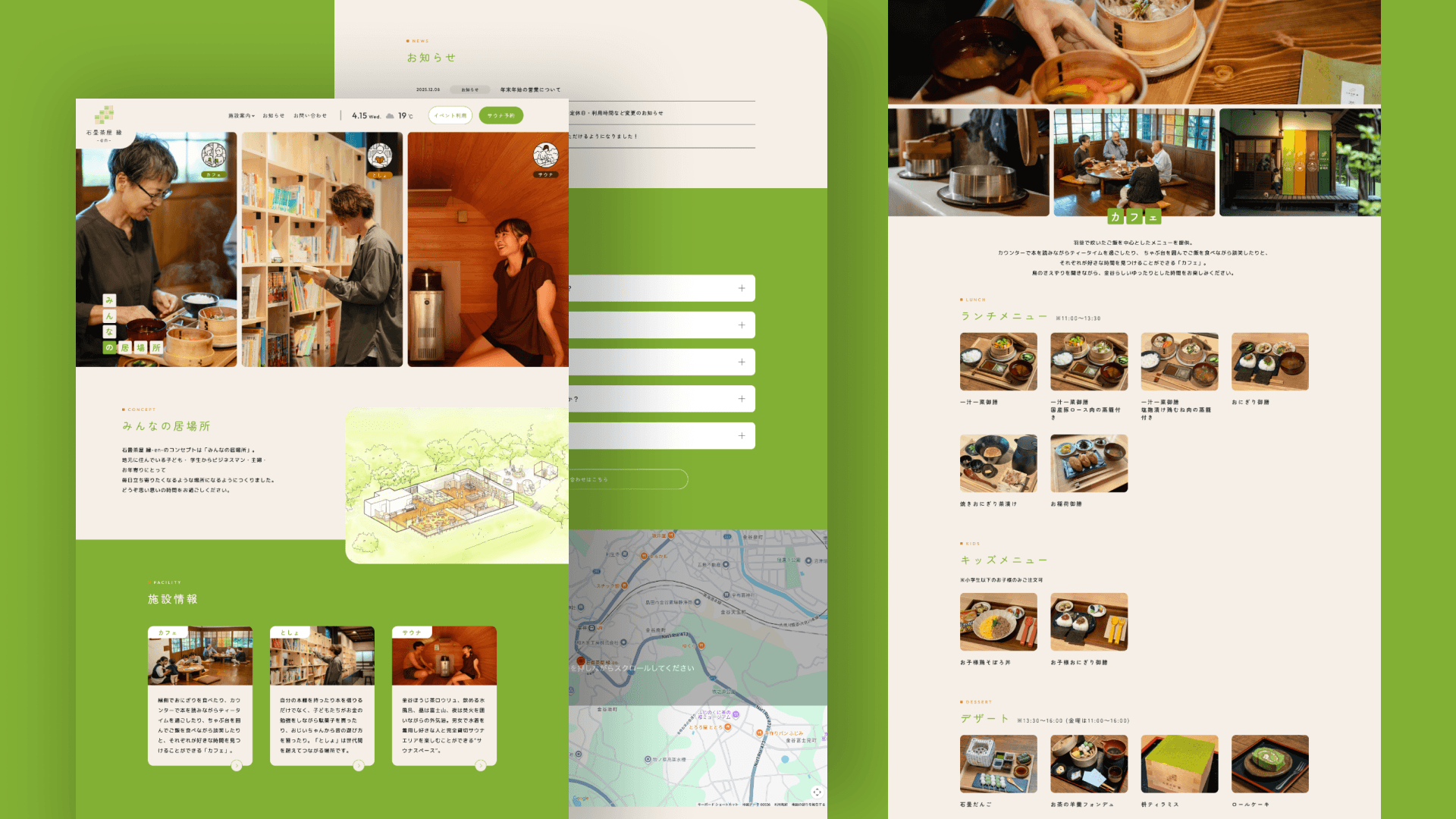
静岡県島田市にある古民家カフェと貸切サウナのある施設「石畳茶屋 -en-」のWordPreesの実装を担当しました。お知らせだけでなく、カフェのメニューの追加や編集を管理画面から行えるようにしました。
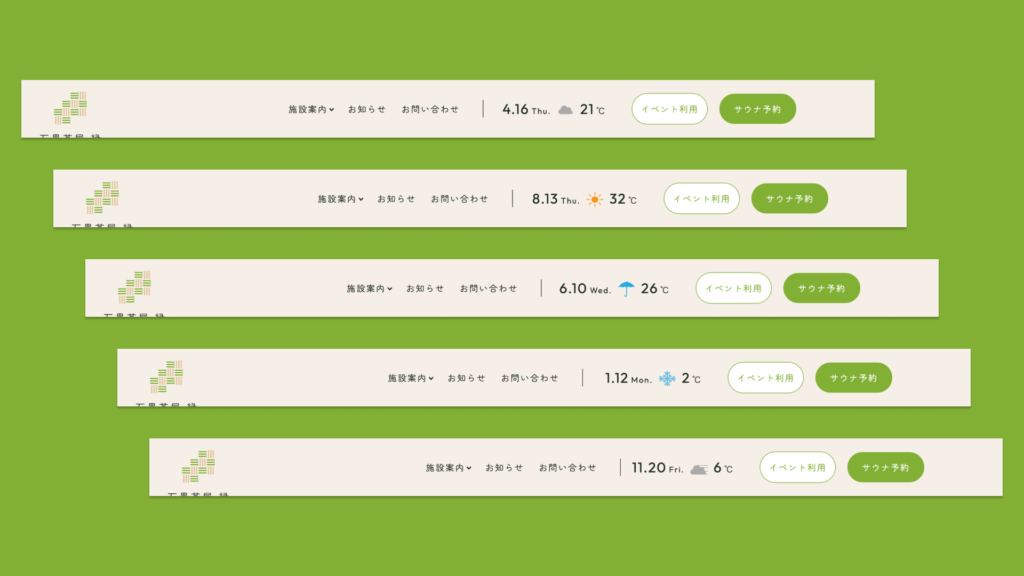
jQuery(function($) {
    const API_KEY = "1229e08ddf12512141d5bfdd6a97b967";
    const CITY = "Shimada,jp";
    const API_URL = `https://api.openweathermap.org/data/2.5/weather?q=${CITY}&appid=${API_KEY}&lang=ja&units=metric`;

    const ICON_BASE_URL = "https://ishidatami-chaya.jp/wp-content/uploads/2023/07/";

    // 天気に応じた画像ファイル名
    const weatherIcons = {
        'Clouds': 'cloud.png',
        'Snow':   'snow.png',
        'Rain':   'rain.png',
        'Clear':  'clear.png',
        'Fog':    'fog.png',
        'Mist':   'fog.png',
        'Haze':   'fog.png'
    };

    $.post(API_URL, function(json) {
        // 気温の表示(小数点丸め)
        $("#temp").html(Math.round(json.main.temp));
        $("#temp-sp").html(Math.round(json.main.temp));

        // 天気のメイン状態を取得
        const mainWeather = json.weather[0].main;
        const iconFile = weatherIcons[mainWeather] || 'cloud.png'; // 該当がなければcloud.png

        // アイコンを表示
        $("#weatherMark").html(`<img src="${ICON_BASE_URL}${iconFile}" alt="${mainWeather}">`);
        $("#weatherMark-sp").html(`<img src="${ICON_BASE_URL}${iconFile}" alt="${mainWeather}">`);
    });
});
<div class="weather-wrap">
<div class="weather-date_wrap"><span class="weather-date"><?php echo date_i18n('n.j'); ?></span><span class="weather-day"><?php $week = array( 'Sun.', 'Mon.', 'Tue.', 'Wed.', 'Thu.', 'Fri.', 'Sat.' ); echo $week[date('w')]; ?></span></div>
<div class="weather-icon"><span id="weatherMark" class="bold"></span></div>
<div class="weather-temp"><span id="temp" class="bold"></span>℃</div>
</div>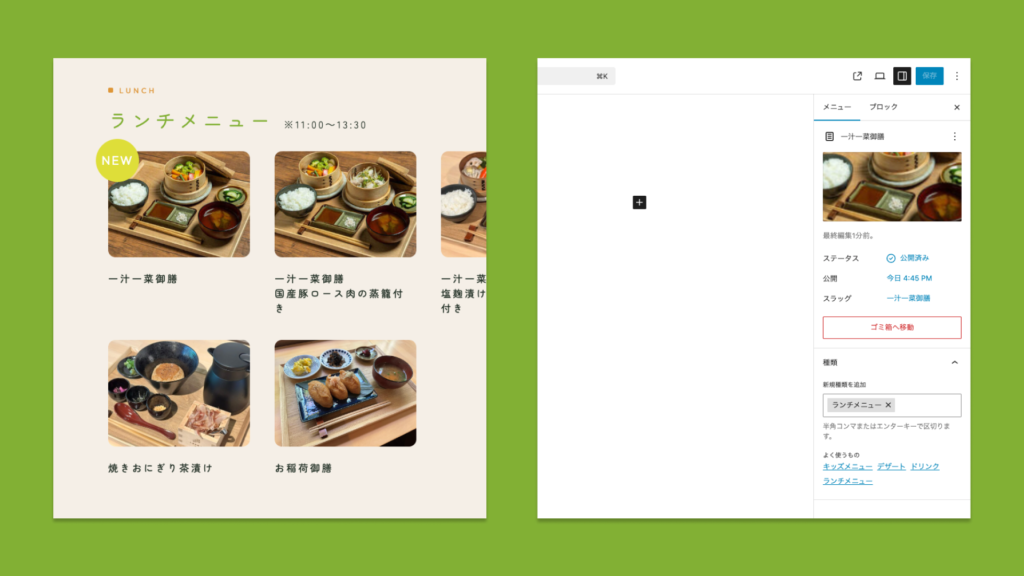
<div class="menu-kinds_wrap">
    <div class="sectiton-title_wrap">
        <div class="section-title_en title-en_orange">LUNCH</div>
        <h2 class="section-title section-title_green">ランチメニュー<span class="menu_time">※11:00~13:30</span></h2>
    </div>

    <div class="section-menu_images">

        <?php
        $args = array(
           'post_type' => 'menu',
           'order' => 'ASC',
           'posts_per_page' => -1,
           'tax_query' => array(
                array(
                    'taxonomy' => 'kinds',
                    'field' => 'slug',
                    'terms' => 'lunch-menu',
                ),
            )
        );

        $my_query = new WP_Query($args);
        ?>

        <?php while ($my_query->have_posts()) :
            $my_query->the_post();
        ?>

            <div class="menu-card">

                <?php
                $days = 30;
                $published_time = get_post_time();
                $today = wp_date('U');
                $show_threshold = $today - $days * 86400;

                if ($published_time > $show_threshold) {
                    echo '<span class="new_icon">NEW</span>';
                }
                ?>


                <?php
                if (has_post_thumbnail()) {
                    the_post_thumbnail('my_thumbnail');
                } else {
                    echo '<img src="' . esc_url(get_template_directory_uri()) . '/img/noimg.png" alt="">';
                }
                ?>
                <div class="menu-name"><?php the_title(); ?></div>
            </div>

        <?php endwhile; ?>

        <?php wp_reset_postdata(); ?>

    </div>
</div>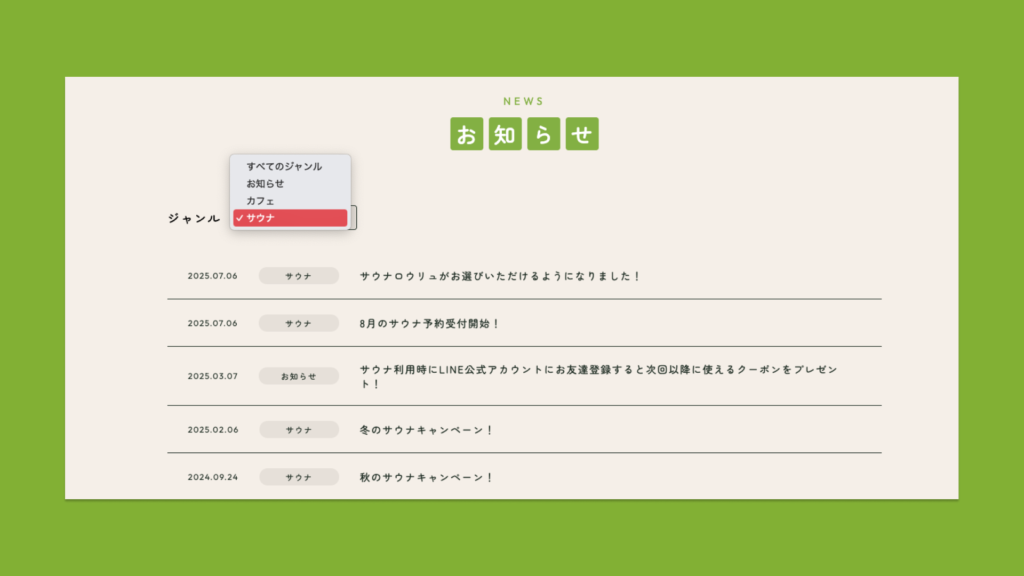
<div class="select-area_wrap">
    <div class="select-area_title">ジャンル</div>
    <!-- onChangeでvalue属性に指定したURLに遷移する -->
    <div class="select-wrap">
        <select name="select" onChange="location.href=value;">
            <option value="<?php echo home_url(); ?>/news/">すべてのジャンル</option>
            <?php
            $categories = get_categories();
            // foreach文でカテゴリーをすべて表示する
            foreach ($categories as $category) {
                $categories = get_the_category($post->ID);
                $slug = $categories[0]->term_id;
                // if文でカテゴリーページの場合 & 現在表示されているページと同じカテゴリーの場合「selected」属性を付与する
                if (is_category() && $slug == $category->term_id) {
                    echo '<option value="' . get_category_link($category->term_id) . '" selected>' . $category->name . '</option>';
                } else {
                    echo '<option value="' . get_category_link($category->term_id) . '">' . $category->name . '</option>';
                }
            }
            ?>
        </select>
    </div>
</div>CONTACT
ポートフォリオをご覧いただき、ありがとうございます。
お問い合わせは、下記のメールアドレスまたはWantedlyよりお気軽にご連絡ください。
